
In part three of our little manual we are going to get adventurous. One of the things the normal household in this day and age cannot live without is bittorrent. Sure you might raise your hands in innocence and shout “No Sir Not me !!” but when I look away ever so briefly I can just bet my bunnies that you’ll be checking on the download of your latest “educational” dvd download of Jenna Jamessons latest flick. But seriously. What I have seen many times over in the average families of today is that everybody uses peer to peer. Either its the tech savvy geek-of-the-house who knows how to download, what to open and what not, and most importantly how to preserve that precious upload limit cap, to the teenage sister who just clicks on all kinds of crap using bearshare, opens up everything, infects her pc and blows the roof off the upload limit by sharing out her entire download directory to the planet. All of this resulting in poor bandwidth for the family, extra ISP bills, infected pc’s and a headache for whomever needs to clean up the mess (yes, thats you ! )
Furthermore if you DO choose to walk the illegal path of peer to peer file sharing, you also know that in order to download stuff, the client pc’s need to be connected all the time. And with the whole kyoto thing, having three pc’s up and running to download three different mp3’s.. Its not very economical is it. So in this part of the manual we are going to set up a web based bittorent client on your Feisty family server. It will allow all the members of your family to access it via their web client (without downloading any software on their own pc’s) They can search and select the content they want to download and give the server the go-ahead to do it. The big plus is that there will only be ONE pc running to fetch the downloads for the family, its in a safe enviroment ( = NOT WINDOWS) and more importantly , YOU as the family geek can keep an eye on whats going on in the download AND upload department. Interested ? So lets get cracking and install Torrentflux on your Feisty fawn or edgy eft ubuntu server.
CLICK ON READ MORE FOR THE REST
…
Read More
Related Posts

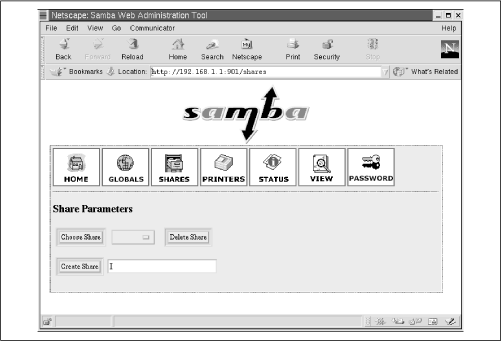 Once again : When I wrote this manual I had the average family geek in mind. So the methods and techniques I will use will probably differ from the “standard” approach and even get Die Hard Linux fans to foam at the mouth with anger and frustration. But all of this is done with a simple setup in mind. Making a simple fileserver for the family. In reach of simplicity I may have have given up a little “security” but its a home server we are talking about. A home server in a Home network of Home users and all that jazz. So chill out ! Its not like its gonna hook up 5000 users and have the entire Russian Hacking Federation after its pink little ars ! Sharing files with Samba has been something I have been trying to do for quite some times. But if you even mention the fact of filesharing to Linux guru’s they are all over you with their Samba Config Files which they INSIST that you learn by heart. If you want to share a single folder they force the whole philosophy and history of Linux filesharing down your throat. It seems like there is NO simple approach. You just HAVE to be able to recite the entire Samba config file backwards from memory.. before you can even start doing all this crap. I personally don’t believe in this method. Its too complicated to start out with and users just give up. So i’m gonna get you guyz GOING on the road of filesharing by making a simple file server. And if you like it and want to learn more you can do the whole config file editing thing until you are blue in the face. Untill then.. Lets get started.